ArticleSponsor licence
Track certificates of sponsorship
9 Oct 2026 · 1 min read
Keep every CoS tied to the right worker and duties.
Record certificates of sponsorship and link them to your workers. About 5 minutes. Before you start: You have assigned, or will assign, a CoS.
app.empliora.co.uk
Log each certificate of sponsorship
1 / 4- 1
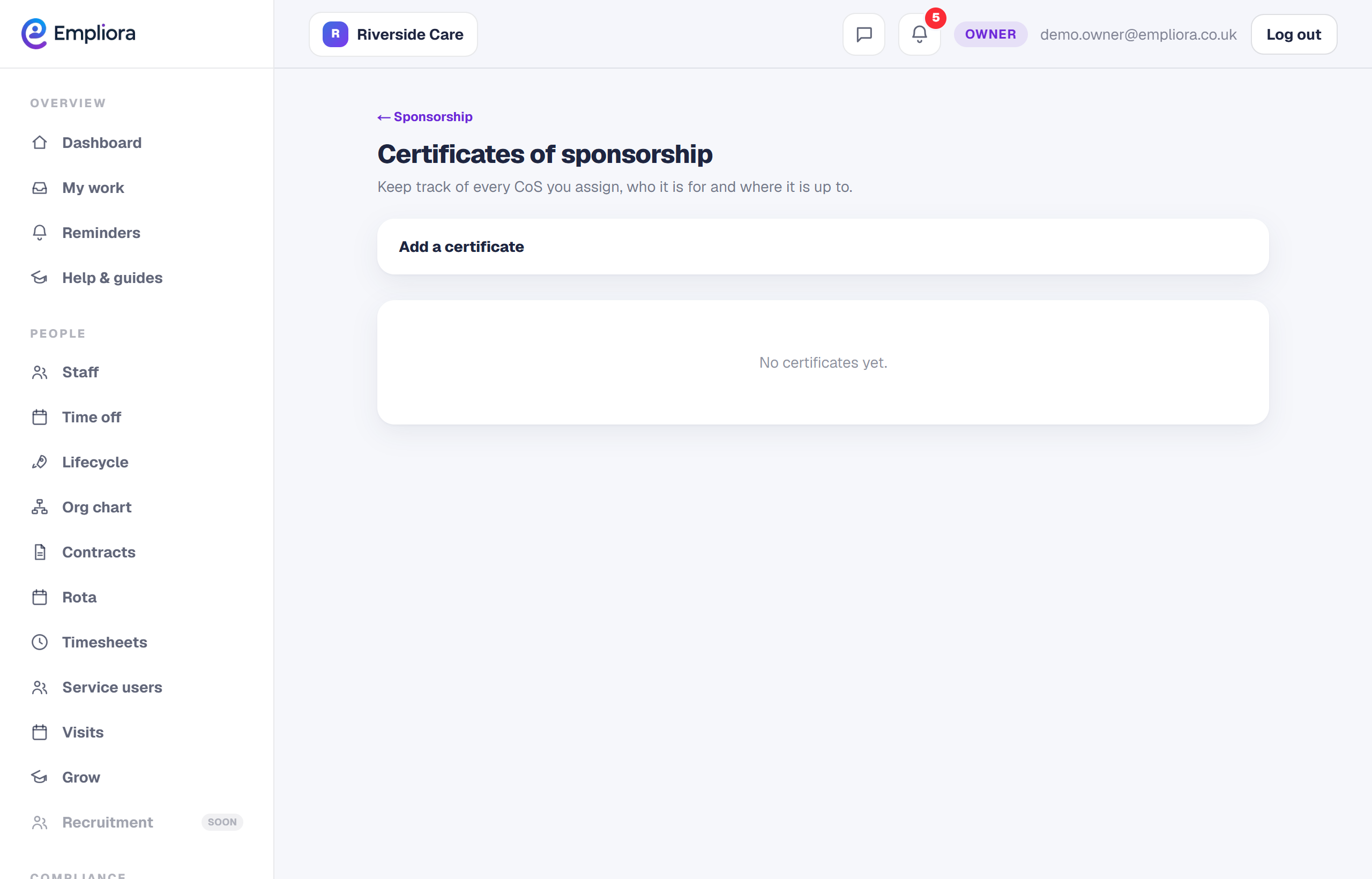
Open Certificates
In People, then Sponsor, open the Certificates tab.
- 2
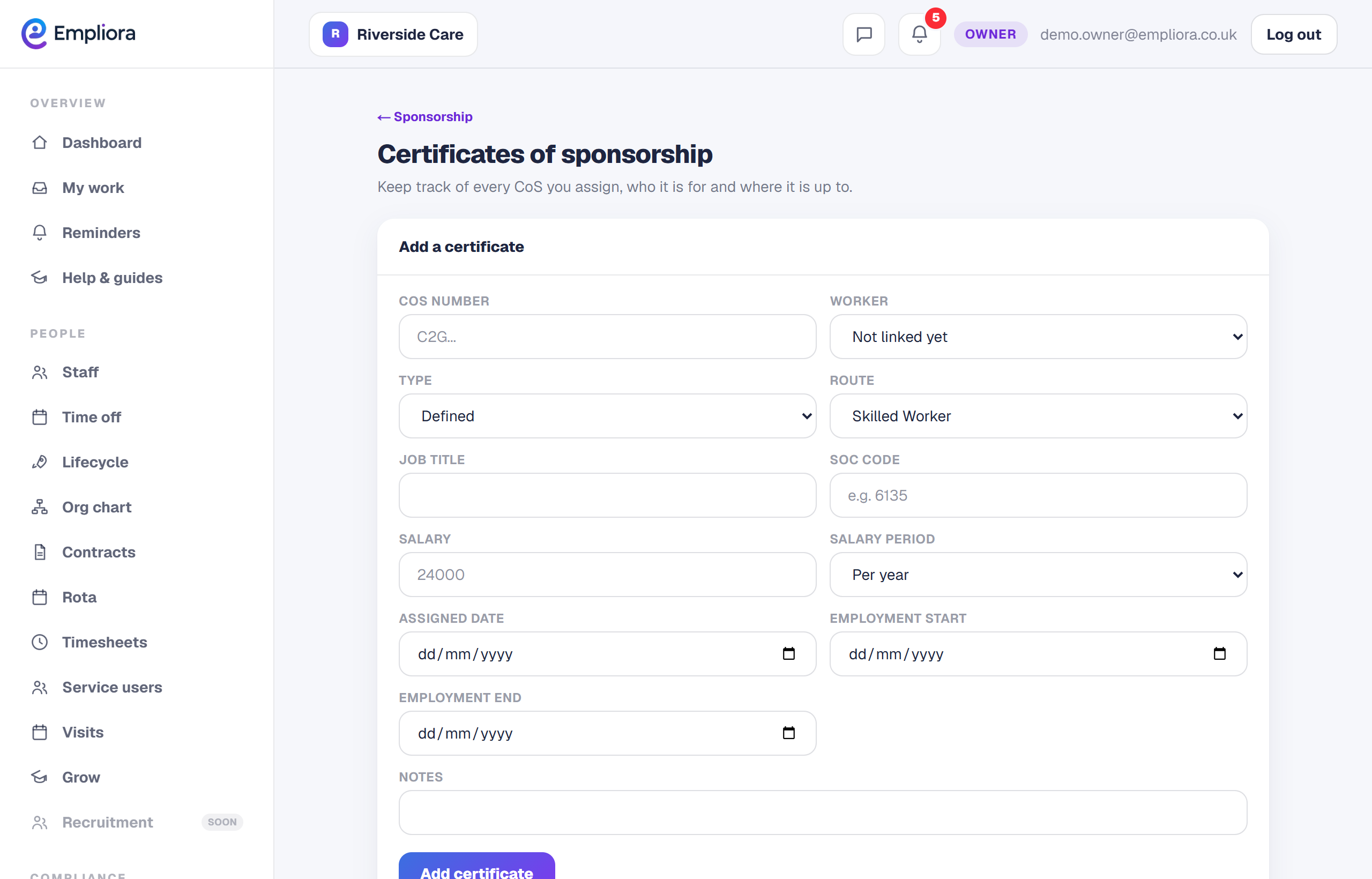
Add a certificate
Record the CoS number and whether it is defined or undefined.
- 3
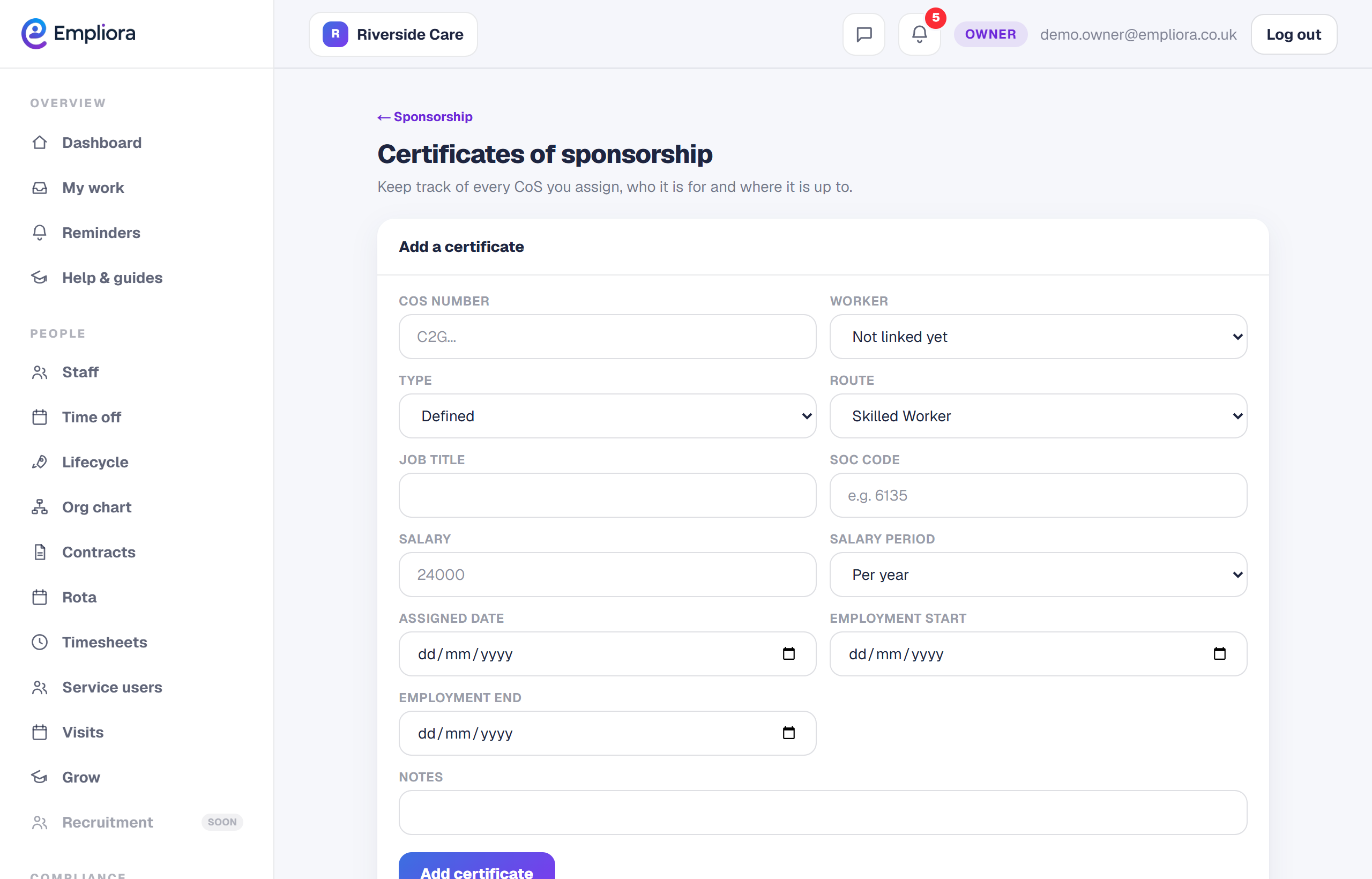
Set duties and hours
Add the job duties and weekly hours so the record matches the role.
- 4
Link to the worker
Tie the certificate to the worker it belongs to.
- 5
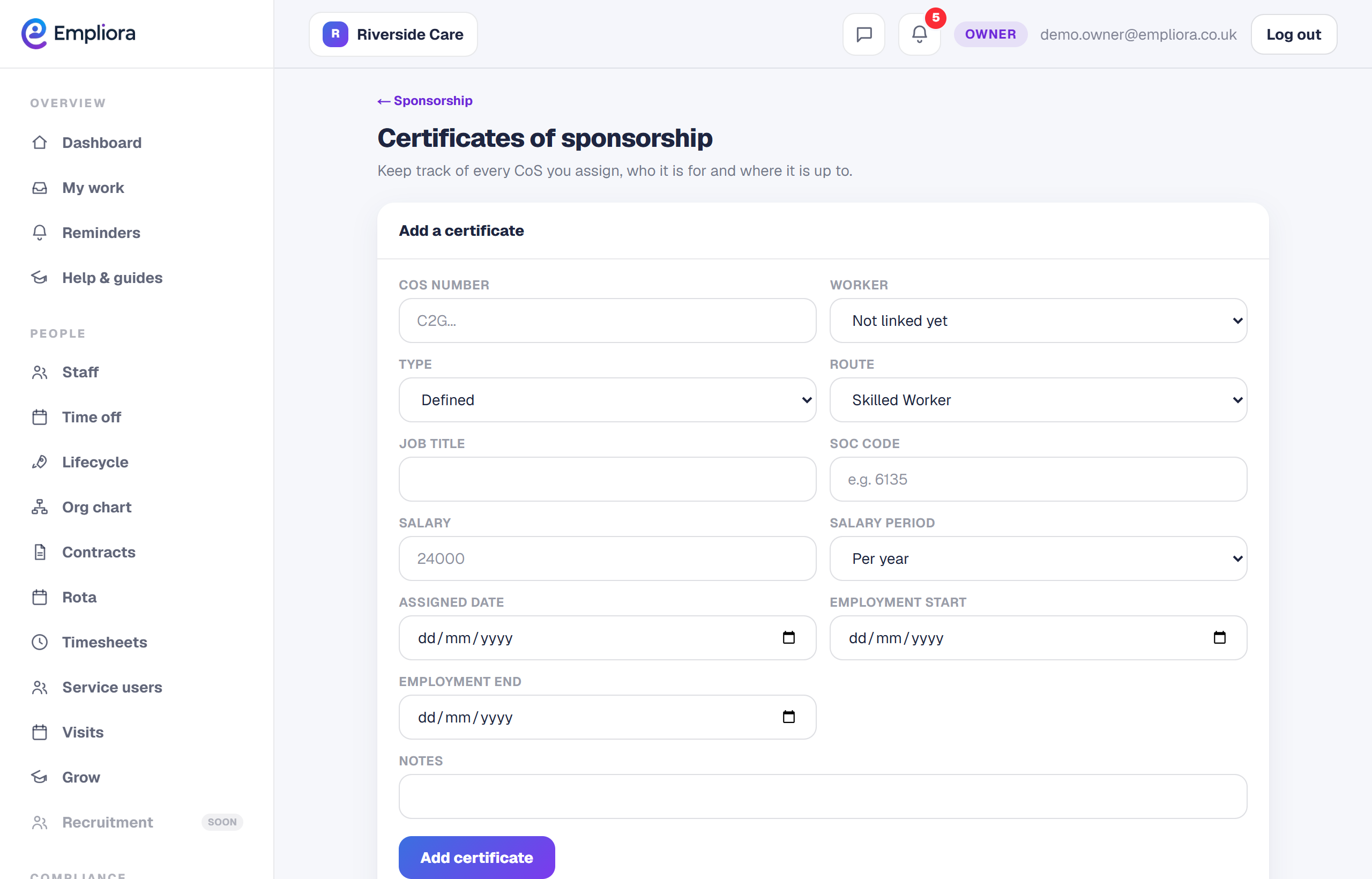
You are all set
Each CoS shows against its worker with the duties and hours recorded. Next, read "Report changes to the Home Office".