ArticleYour people
Build your org chart
9 Oct 2026 · 1 min read
See who reports to whom, drawn from your staff records.
Set reporting lines and get a live org chart. About 3 minutes. Before you start: You have added some staff.
app.empliora.co.uk
Set each person's manager
1 / 3- 1
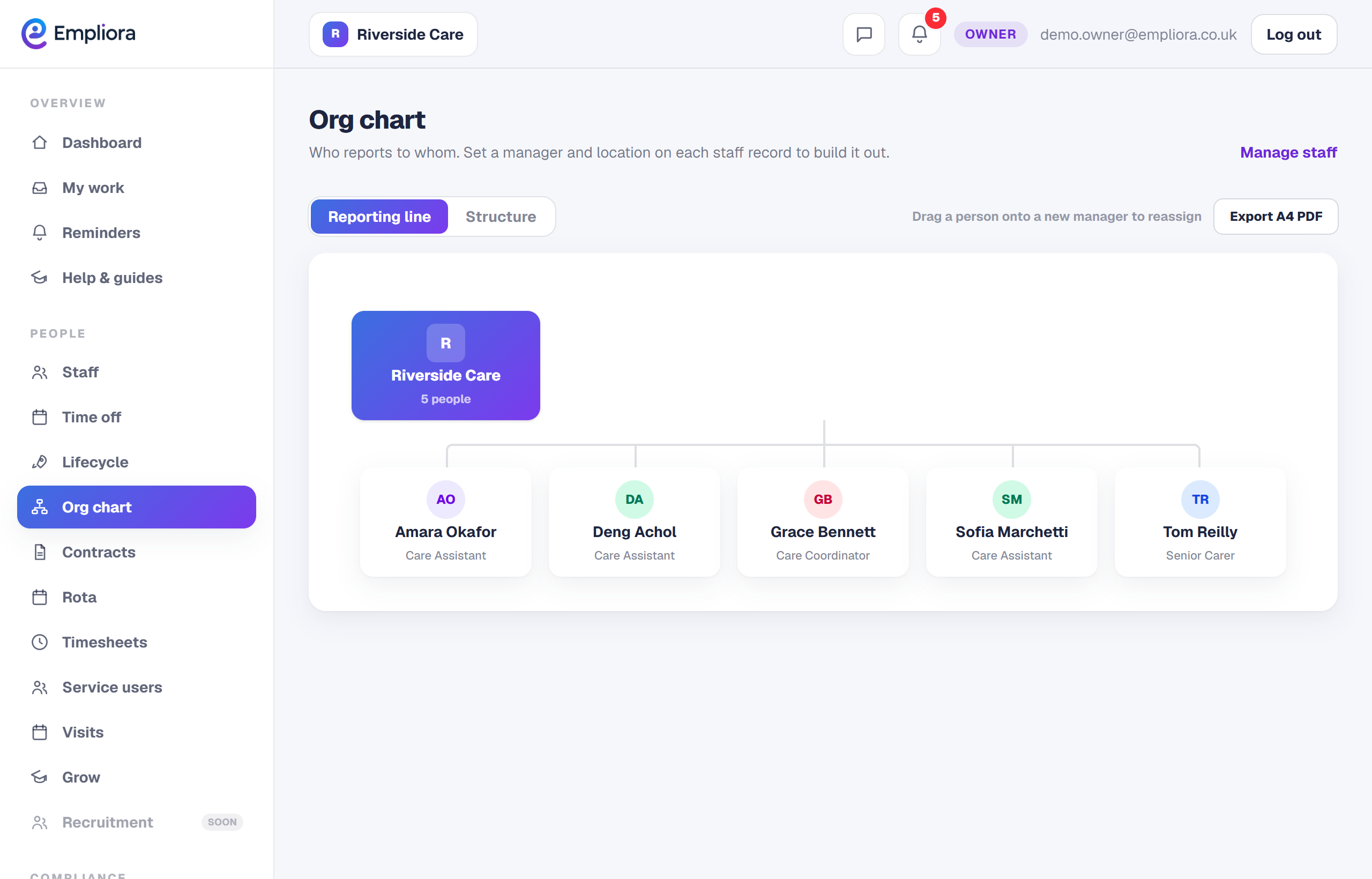
Open the org chart
Open People, then Staff, and select Org chart.
- 2
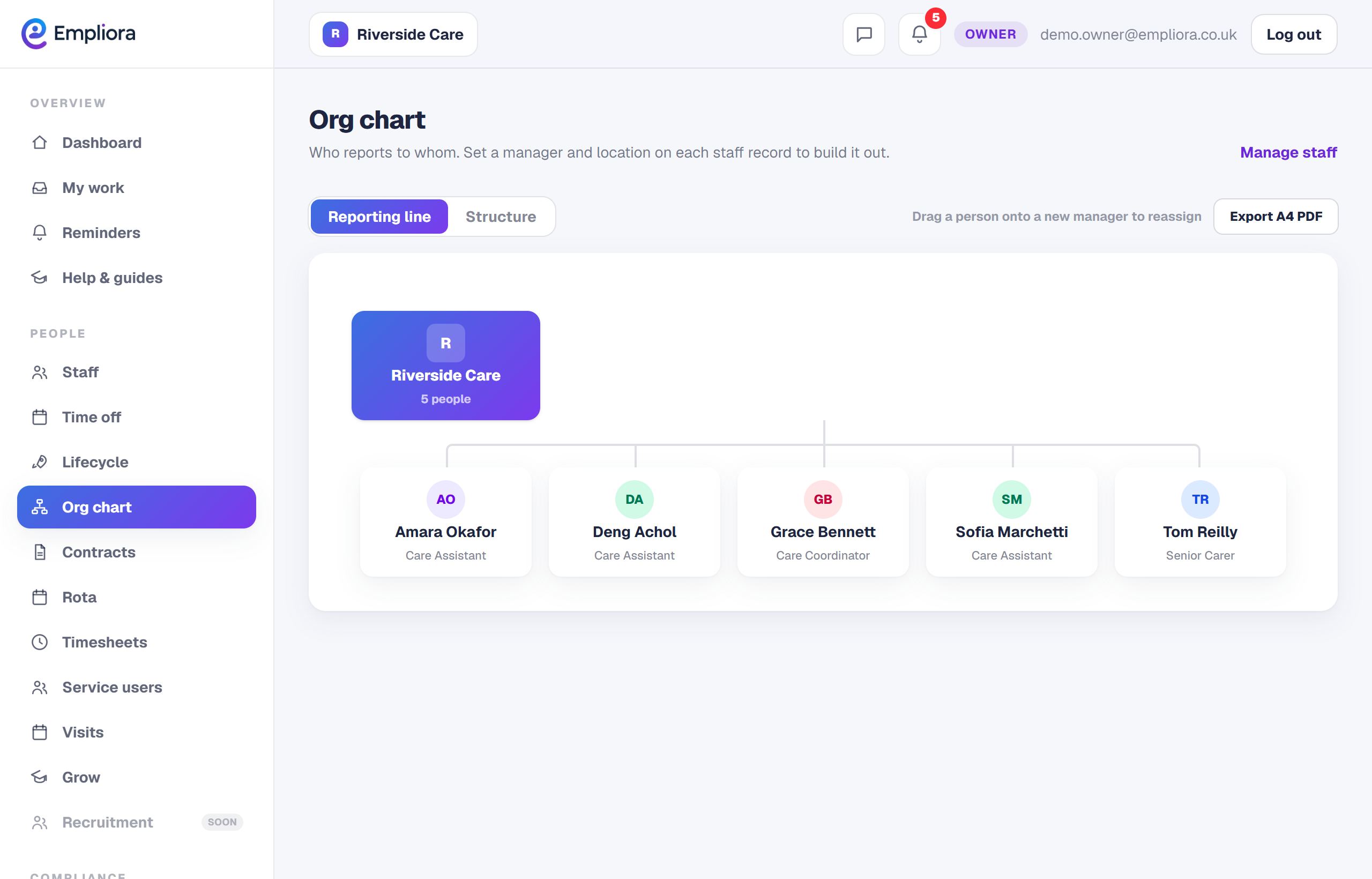
Set a manager
Open a person and set who they report to. The chart updates as you go.
- 3
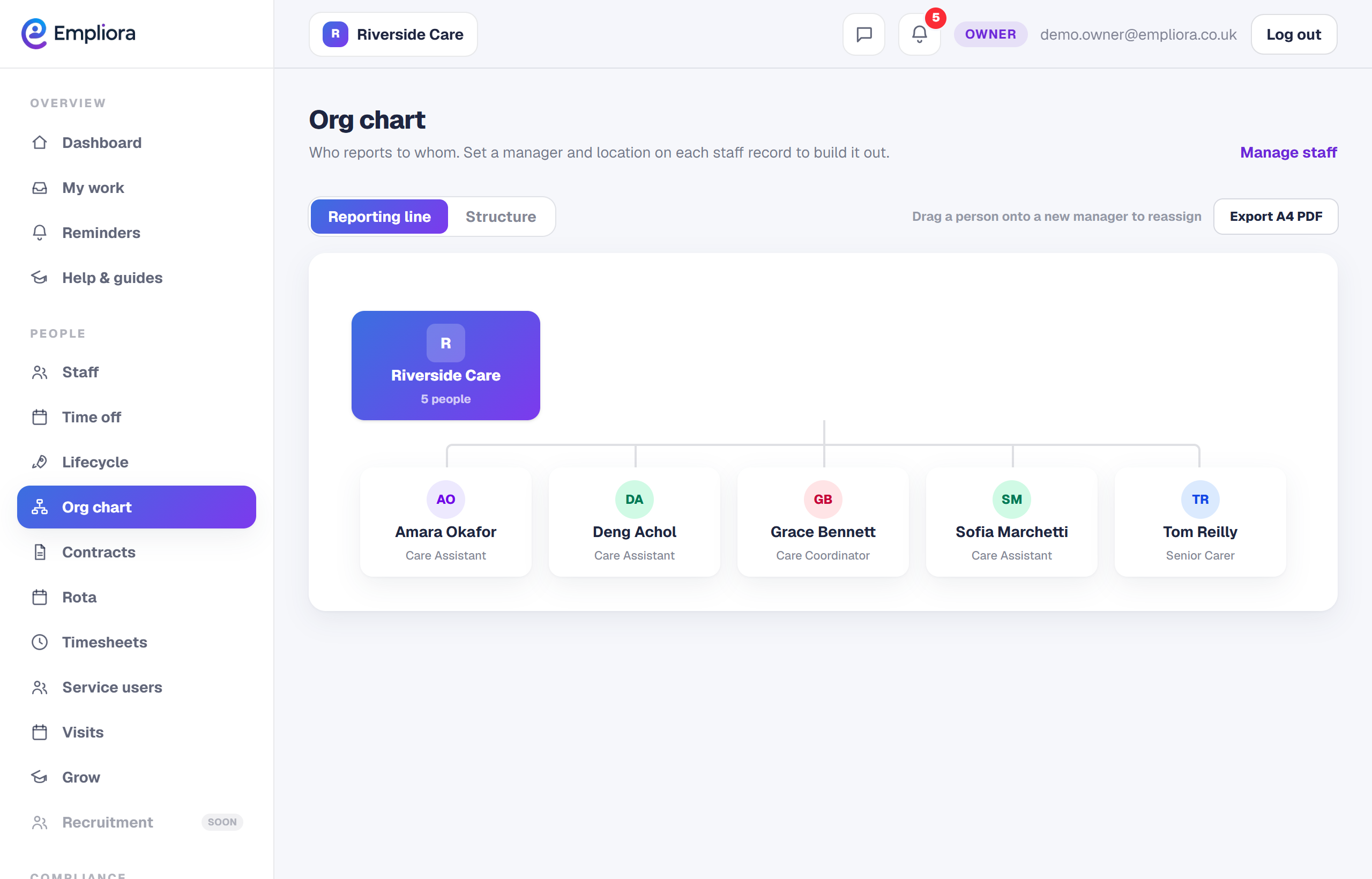
Read the structure
The chart draws your teams top down so gaps and oversized teams are easy to see.
- 4
You are all set
The org chart shows each person under their manager. Next, read "Organise people into departments".